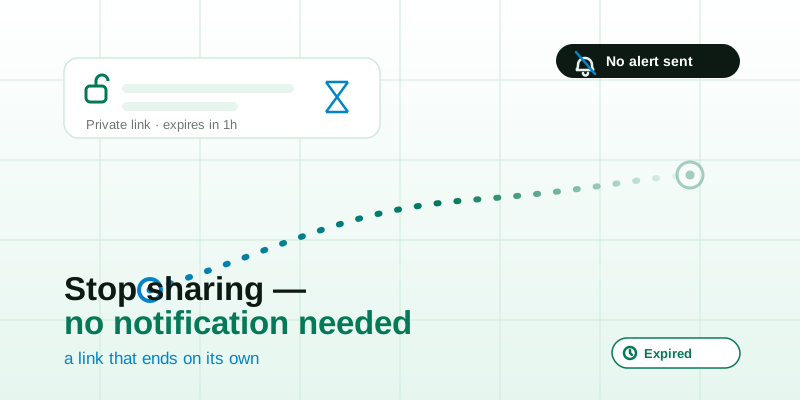
It's one of the most-searched questions about location sharing, and an oddly stressful one: if you quietly switch sharing off, does the other person get a notification? The honest answer is "it depends on which tool you used" — and the deeper answer is that the whole anxiety mostly disappears the moment you stop using open-ended sharing and start using links that expire on their own. This guide explains exactly what the other person sees when you stop on iMessage, Google Maps, and a simple share link, and how an expiring location link sidesteps the question entirely.
The short answer, per app
There is no single rule across every app, because each one decided differently how visible "stopping" should be. Here's the honest summary for the most common ways people share:
| How you shared | Do they get a notification when you stop? | What they actually see |
|---|---|---|
| iMessage / Find My (iPhone) | No push notification for stopping | The live map in the thread quietly stops updating; "Stopped Sharing Location" appears where the share was |
| Google Maps | No push notification for stopping | Your dot disappears from their map; the person is silently removed from your shared-with list |
| A live link (any browser tool) | No notification at all | The link goes offline or stops loading; nothing is "switched off" on their phone |
| An expiring link | Nothing to switch off | Sharing simply ends when the timer runs out — the same outcome whether you act or not |
So in the common cases, stopping does not fire an alert. But "no notification" is not the same as "invisible," and that gap is where most of the worry actually lives. Let's go app by app.
iMessage and Find My: a quiet label, not an alert
When you share live location inside an iMessage conversation, the other person sees a small live map embedded in the thread. If you stop sharing — by tapping the share details and choosing to stop, or by ending it from Find My — Apple does not send them a push notification that says "so-and-so stopped sharing their location."
What they do see is the map in the thread changing state. The little live view stops moving, and the thread shows a "Stopped Sharing Location" line where the live share used to be. If they happen to be staring at that conversation, the change is visible. If they're not, nothing buzzes their phone to tell them.
Two nuances worth knowing:
- Starting is louder than stopping. Asking for or beginning a share is the part that tends to generate a visible prompt. Ending it is comparatively quiet.
- "Stopped sharing" vs. just going dark are different states. If you fully turn off your location services, your contact may simply see "Location Not Available" or "No Location Found" instead of an explicit "stopped" message — which reads as a phone-off or signal problem rather than a deliberate choice. People often prefer the clean, explicit end over the ambiguous one.
Google Maps: you vanish from the list, silently
Google Maps location sharing works through a shared-with list: you pick people, and they can see your blue dot until you stop or the time you set runs out. When you remove someone or end a share, Google does not push a notification announcing it. Your dot simply stops appearing on their map, and you drop off the list of people sharing with them.
The thing to remember on Google Maps is that the active share is more visible than the ending of it. While it's running, the other person can open Maps any time and see exactly where you are. There's no per-look alert — they don't get pinged each time they peek. So if your concern is "will they know the moment I stop," the answer is no; but if your concern is "could they have already seen where I was," the answer is yes, for as long as the share was live.
This is the core reason a permanent, open-ended share with another person is risky: it's easy to forget it's running, and "stopping quietly" doesn't undo what was visible while it was on.
"Stop sharing without them knowing" — the honest version
A lot of people search for how to stop sharing without the other person finding out. It's worth being straight about what's realistic and what isn't.
- You can almost always stop without triggering a push notification. None of the mainstream tools buzz the other person's phone to announce that you ended a share.
- You usually cannot make it completely undetectable. A motivated person who actively checks can notice that your live map went static, or that you're no longer in their list. The absence of an alert is not the same as the absence of any trace.
- Going fully dark can be more conspicuous than a clean stop. Force-quitting location entirely often produces an "unavailable" state that invites questions ("is your phone off?"). A deliberate end is frequently less dramatic than a sudden blackout.
If your reason for wanting to stop quietly is that the sharing arrangement itself doesn't feel safe, that's a more important signal than any toggle. Sharing should be something you choose afresh each time, not a standing permission someone holds over you. Our broader take on this lives in is live location sharing safe and the family-focused location sharing for families, safely.
The better fix: let sharing end on its own
Here's the reframe that makes the whole "will they get notified" question mostly irrelevant. The reason stopping feels fraught is that you're managing an ongoing permission — something that stays on until you remember to turn it off, and so the act of turning it off becomes a moment that might be noticed.
An expiring link flips that around. Instead of an open tap you have to remember to close, you share a link that is alive for a set window and then simply stops resolving. There is no toggle to flip off later, so there is no "stopping" event to be noticed in the first place. When the timer runs out:
- The live dot goes offline by itself.
- The link stops loading anything useful.
- No notification is sent, because nothing was switched off — the share just reached its end.
With the live location tool you create a private, unguessable link, send it to one person, and pick how long it should last. They watch your dot move on the view live location page in any browser, no app or sign-up required. When the window closes, sharing is over — the same calm outcome whether you actively stopped it or simply let it lapse.
How to stop a live link right now (and confirm it stopped)
If you're sharing through a link and want it off immediately rather than waiting for the timer, it's quick — and quiet:
- Tap Stop on the sharing page. The live dot is dropped, and within a couple of minutes the channel reports offline to anyone still looking. No alert goes out.
- Or just close the tab. Leaving the page tears the broadcast down on exit, so walking away ends it too.
- Or do nothing and let it expire. If you set a window, the share ends itself when the clock runs out — your safety net for the times you forget.
- Verify it's off. Open your own link in a browser. If you see the dot offline or the link no longer resolving, that's your proof nothing is still broadcasting.
Because a well-built live share only ever holds your latest position — not a saved history of everywhere you've been — once it's off there's no breadcrumb trail left behind. And for the many moments when someone only needs to find one spot rather than follow you, skip live sharing entirely: a single static pin from share my location reveals one place, once, with nothing running afterward to switch off.
The takeaway
Across iMessage, Google Maps, and plain share links, stopping location sharing does not send the other person a push notification — though an attentive person could notice your live view going static. If that uncertainty bothers you, stop managing permanent permissions and start using time-limited ones. A private, expiring location link ends on its own, with nothing to switch off and no awkward moment to be noticed. Share it with one trusted person, set a sensible window, and let it close itself — and when someone just needs to find a place, send a quick static location instead. The shortest-lived share is always the one with the least to worry about.