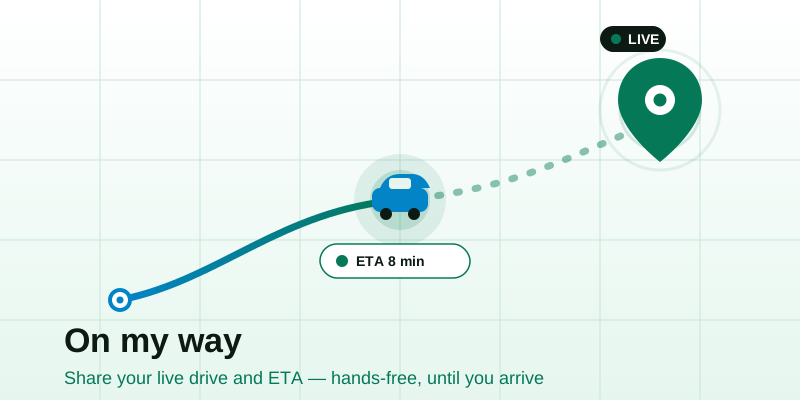
"On my way" almost never answers the only question the other person has: when, exactly? When you're behind the wheel, the kindest thing you can do for whoever's waiting is hand them a live link they can glance at, so they stop checking their phone, stop texting "you close?", and just see your dot getting closer. Here's how to set that up safely before you drive, what the person waiting sees, and how to make the whole thing expire cleanly the moment you arrive.
Why a live link beats texting "5 minutes"
The problem with "5 minutes" is that it's a guess, it's stale the instant you send it, and it forces a conversation: they reply, you glance down at a red light, you reply, and now you're typing while driving. A shared live location link replaces that loop with something passive and accurate.
- It answers "where are you" without you touching the phone. Once it's running, you do nothing. The link keeps showing your position on its own.
- It turns a guess into a moving estimate. The person waiting can see whether you're three streets away or still stuck on the ring road.
- It's reassuring, not just informative. A parent, a date, a friend at the airport curb really want to know you're coming and you're fine. A dot inching toward them says both.
- It ends the back-and-forth. No "you here yet?" texts to ignore or answer dangerously.
The honest trade-off: a live link shows your continuous position to whoever holds it, for as long as it's active. That's what you want for a 25-minute drive to pick someone up, and what you want to switch off the moment you pull in. The rest is about getting both halves right.
Set it up before you drive — the 30-second routine
Everything that follows assumes one rule: start the share while parked. Tapping buttons and granting a location prompt are not driving tasks. Build a tiny habit you do before you shift out of park.
- Open the tool and start the share. On your phone, open the live location page and tap Start. Allow the browser's location prompt — it appears right then, so there's no hidden setting to forget.
- Copy the link and send it to one person. Drop it in your text thread to whoever's waiting. They don't need an app or an account; they tap it and watch.
- Confirm it's moving. Glance once to see your dot is live and the link opened on their end. A quick "tracking now, see you soon" closes the loop.
- Set the phone down and mount it. Put the phone in a dashboard mount or somewhere you will not touch it. The share runs on its own from here.
- Then drive. That's it. You won't open the phone again until you arrive, which is the entire point.
Keep the share alive on a long drive
For anything beyond a few minutes, two things keep your dot from freezing mid-trip: keep the tab in the foreground (a browser tab you're actively showing isn't put to sleep the way a backgrounded app is) and keep the phone charged on a car cable. Low-power mode is the number-one reason a live share stalls on the motorway. If your dot does stick, see why live location stops updating.
What the person waiting actually sees
This matters more than people expect, because the watcher's experience is the whole product here. When they open your link on the view live location page, they don't need to install anything; it opens in their normal browser, on a phone or a laptop at the kitchen table.
- Your dot on a map, updating on its own as you move. No refresh, no tapping.
- The direction of travel, so it's obvious whether you're heading toward them or away.
- A sense of distance and pace: close and slowing means "pulling up now"; far and steady means "settle in, it's a while yet."
- Nothing about your accounts or history. The link is just the live dot. They can't see where you were yesterday or who else you've shared with.
ETA vs the raw dot — which do they want?
People conflate "share my location" with "share my arrival time," but they answer different needs. A raw live dot is precise and self-explanatory. A spoken or texted ETA is faster to grasp at a glance but goes stale. The reassuring combination: send the live link and text one rough ETA up front, then let the dot keep that estimate true.
| The waiter wants… | Best to send | Why |
|---|---|---|
| "Should I head down to the curb yet?" | Live dot link | They watch you get close and time it themselves |
| "Roughly how long, so I can plan?" | One ETA text up front | A number is faster to act on than a map |
| "Are you safe / still coming?" | Live dot link | A moving dot is reassurance a number can't give |
| "Where exactly do I meet you?" | A static pin (share my location) | One fixed spot, no live tracking needed |
If you want a precise ETA number rather than a dot to interpret, the cleanest source is your turn-by-turn navigation app's own estimate: read it aloud once before you set off, or have a passenger relay it. A live link's job is to keep that promise visibly on track, not to replace your sat-nav.
A worked example: the airport pickup
Say you're collecting a friend whose flight just landed. Here's the whole exchange, the safe way:
- Still parked at home, you open live location, tap Start, and text the link: "Leaving now, about 25 min. Watch the dot, I'll be at Arrivals." One ETA, one link.
- You mount the phone and drive. You touch nothing for 25 minutes.
- Your friend, waiting by the carousel, opens the link on their phone. They see you leave your street, join the dual carriageway, and the airport spur. No texts needed.
- When your dot hits the terminal, they walk out to the kerb, already there as you pull up, because they timed it off the live dot, not a stale guess.
- You stop the share. Done. The link goes dead and your drive home is yours alone.
Notice what didn't happen: no "you here?", no replying at lights, no circling the terminal because they weren't ready. The link did the coordinating, hands-free.
Auto-expire on arrival — share until you're there, not forever
The single most important privacy habit with a drive-share is that it should end when the trip ends. A link that keeps broadcasting after you've parked is the thing to avoid. Two clean ways to handle it:
- Stop it yourself on arrival. Build it into your park routine: handbrake, stop the share, get out. The link immediately stops updating, so even if the other person still has it open, your dot has frozen at the destination and goes no further.
- Let it lapse on its own. A browser-based live share isn't a permanent account-to-account link; close the tab or end the session and there's nothing left running to leak your position later.
The principle is "share until I arrive," not "share until I remember to turn it off three days later." If you only need someone to know where you ended up, not to watch the drive, skip live sharing and send a single static pin with share my location. A one-time snapshot can't keep tracking you, because there's no live loop to leave running.
Stay safe and considerate behind the wheel
A live link makes you safer than texting your ETA, but only if you set it up right. A few rules:
- All setup happens parked. Starting a share, copying a link, granting a permission: none of that is a driving task. If you forgot to start it, pull over safely or just call ahead instead.
- Mount the phone, don't hold it. The whole benefit is that you don't touch it once moving.
- Share with one person, not a group, for a pickup. Fewer people holding a live link means less to think about afterward.
- Tell them it'll stop on arrival, so a frozen dot at the destination reads as "arrived," not "something's wrong."
- If you're meeting somewhere neither of you has been, agree the exact spot first; a meeting point halfway can beat one person driving the whole way.
Quick recap
Sharing your ETA while driving comes down to five moves:
- Start the share parked on the live location page, before you shift out of park.
- Send the link plus one rough ETA to the one person waiting.
- Mount the phone, keep it charged, and don't touch it while moving.
- Let them watch the dot on the view live location page — no app, no account.
- Stop the share on arrival so it expires cleanly and your next trip stays private.
Next time you're running late or rolling up to collect someone, don't promise "five minutes" you can't keep. Open the live location tool, send one link, and let the person waiting watch you arrive: hands free, and switched off the moment you're there.