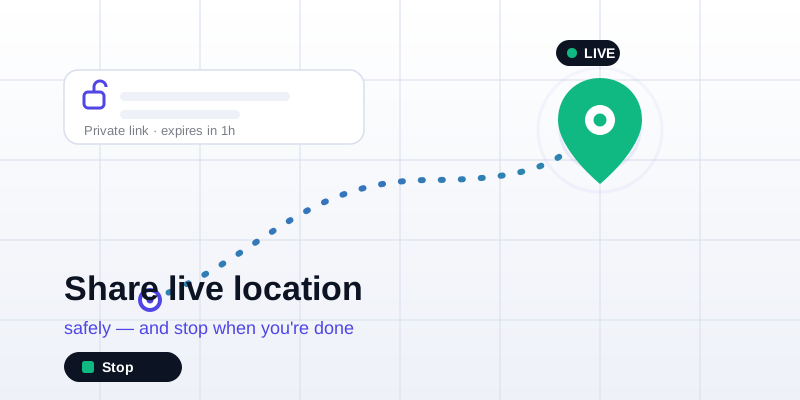
Sharing your live location removes a lot of stress: instead of texting "almost there" back and forth, the person waiting simply watches your dot move across a map until you arrive. The catch is that "live" means continuous, so the part that matters most is doing it safely and making sure it actually stops when you're done. Here's how to create a share link, choose who can see it, set an expiry, and stop cleanly — plus when a moving live share is the right tool versus a simple static pin.
Live share vs. a static snapshot: pick the smaller tool
First decide which kind of "location" the moment needs. They are not the same, and the smaller one is almost always the safer choice.
- A static snapshot is a single point that never moves: "here is where I am right now" or "meet me at this corner." It reveals one spot, once, with nothing running afterward to switch off. Create one with share my location.
- A live share broadcasts your position continuously, refreshing every few seconds, so the other person watches you travel in real time. Use it only when the movement is the point: an active trip home, a meetup in a crowd, a long drive someone wants to follow.
Rule of thumb: if the other person just needs to find a place, send a snapshot. If they need to follow you, share live and set it to stop. Reaching for live sharing when a static pin would do is the most common way people over-share without meaning to.
How to share your live location, step by step
With the live location tool you don't need an account, and neither does the person watching — they just open a link in any browser. Here's the whole flow:
- Open the live location page and tap Start. Your browser asks for location permission; that prompt only appears when you tap, never before. Allowing it reads your first GPS fix.
- Get your private link. The tool mints a fresh, unguessable share link tied to a single channel. Copy it.
- Send it to one person, through a channel you trust. A direct message to the specific person who needs it — not a group everyone can scroll back through, and never a public post.
- Let it update. While the share is running, your position republishes roughly every 10 seconds, so the viewer always sees approximately where you are now, not where you were ten minutes ago.
- They watch on the map. Opening your link drops them onto the view live location page, where your dot moves as you move. No app, no sign-up on their end.
- Stop when you arrive. Tap Stop (or close the tab) and the live dot goes offline within a couple of minutes. Stopping cleanly is the whole game; more below.
Who can see you — and how to keep it that way
A live share is only as private as the link is. The link itself is your access key: it's long and random, so nobody can guess their way in, but anyone holding it can watch while the share is active.
- Share the link privately. One-to-one beats one-to-many. The fewer copies of the link exist, the fewer ways it can be forwarded somewhere you didn't intend.
- Don't post it publicly. These links aren't listed or indexed anywhere, so the only way someone finds yours is if you (or someone you sent it to) hands it over.
- Use a password when the moment is sensitive. If the tool offers a password on the share, add one — then the link alone isn't enough; the viewer also needs the word you tell them separately.
- Assume forwarding is possible. If you sent a link to a group chat, anyone in that chat can pass it on. When in doubt, start a new share with a fresh link and let the old one expire.
Set an expiry so you can't forget
The single most important safety habit with live sharing is to never leave it open-ended. An "until I turn it off" share is the one you forget about: the phone goes in your pocket, you get home, and hours later your dot is still broadcasting to a link you stopped thinking about.
Set a time window that matches the task and let the share end itself:
| Situation | A sensible window |
|---|---|
| Walking to meet a friend nearby | 15–30 minutes |
| Driving across town or commuting | 1 hour |
| A road trip or long hike | A few hours, then re-share if needed |
| "Let me know you got home" at night | Until you reach the door, then stop manually |
A bounded share is safe even if life interrupts you, because it expires on its own. When it reaches the limit, broadcasting ends and the link stops resolving: no lingering trail, nothing for you to remember.
How to stop sharing (and make sure it really stopped)
Stopping should be boring and reliable, and with a well-built tool it is. There are three ways a live share ends:
- You tap Stop. The live dot is dropped immediately, and within about two minutes the channel reports as offline to anyone still looking. The cleanest way to end early.
- You close the tab or leave the page. The share tears itself down on exit, so simply walking away from the page stops the broadcast too.
- The timer expires. If you set a window, the share ends by itself when the clock runs out — your safety net for the times you forget to press Stop.
To confirm it stopped, open your own share link in a browser. If the share has ended, you'll see the dot offline or the link no longer resolving: proof there's nothing still broadcasting. Because only your latest position is ever held during a live share (not a saved history of everywhere you've been), once it's off there's no breadcrumb trail left behind.
Smart privacy habits for live sharing
A few small habits make live location a tool that works for you rather than against you:
- Default to the smaller share. Reach for a static snapshot first; only go live when someone genuinely needs to follow your movement.
- Right-size the window. Pick the shortest expiry that covers the task. You can always start a fresh share if you need longer.
- Share one-to-one. Send the link to the specific person, not a broadcast list, and add a password when it matters.
- Stop on arrival, then verify. Make "tap Stop" part of arriving, and glance at the link once to confirm the dot went dark.
- Rotate when in doubt. If a link might have spread further than you meant, end that share and start a new one; the old link becomes useless.
- Mind battery on long trips. Continuous GPS uses more power than a one-off fix, so on a long share keep the phone charged, or send an occasional fresh snapshot instead of streaming the whole way.
Live location sharing is at its safest when you treat it as temporary by design: a private link, a sensible expiry, one trusted recipient, and a clean stop at the end. When you're ready, open the live location tool, send the link, and have the other person watch you on the view live location page. And when someone only needs to find one spot, skip the live stream and send a single static location link instead.