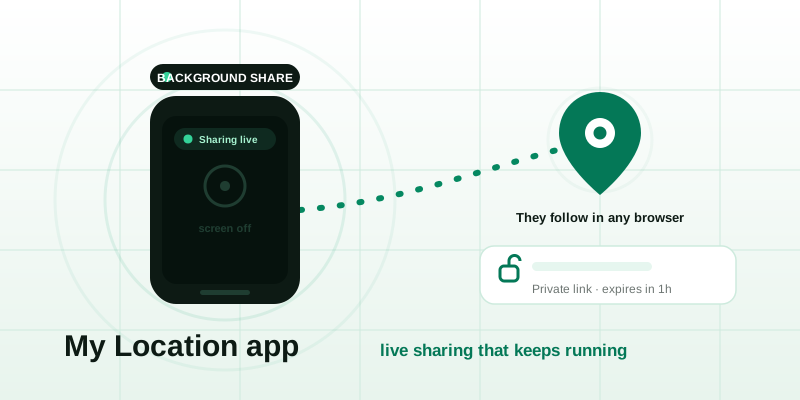
Open the live location tool in your phone's browser, send the link, and someone can watch your dot move across a map in real time — no app, no account, on either end. It works beautifully for a quick "I'm five minutes out." But browsers have one hard limit: when your screen sleeps or you switch apps, the tab quietly throttles, and a few minutes later the person following you is staring at a dot that stopped moving. The My Location app exists to fix exactly that one thing. It picks up the same private, auto-expiring link this site already mints and keeps it updating in the background — screen off, phone in your pocket, app not even in the foreground. Think of it as the always-on upgrade to the web tools you already use here.
Get My Location free on Google Play if you already know you want background sharing on your next trip. If you'd rather understand exactly what changes first, read on.
Why a browser tab freezes (and why that matters)
Mobile browsers are built to save battery. The moment a tab loses focus — you lock the screen, answer a message, open Maps for directions — the operating system suspends its timers and network activity. That's great for your battery and terrible for a live share, because the one thing a live share has to do is keep publishing your position. A frozen tab doesn't error out or warn you; it just stops sending updates. The watcher sees your last known dot and has no way to tell whether you've stopped moving or your phone has simply gone quiet.
This is the gap people run into most: they start a perfectly good browser share, slide the phone into a pocket, and the share goes stale within minutes. The web tools on this site are honest about this — they're the right choice for short, screen-on moments. For anything longer or hands-free, you want something the OS is allowed to keep running.
What the app does that a tab can't
The My Location app registers as a proper foreground location service while you're sharing. In plain terms, Android gives it permission to keep reading your GPS and pushing updates even when the screen is off and you're doing other things. The result is a share that behaves the way people assume live sharing already works:
- It keeps updating with the screen off. Lock your phone, drive, walk, ride the train — the dot the other person is watching keeps moving. No frozen-tab gap.
- It survives app-switching. Jump to your map, your music, your messages. The share carries on in the background instead of pausing the instant you leave it.
- It uses the same link this site already understands. A share started in the app produces the same kind of private follow link as the web tool. Whoever you send it to opens it in any browser — they don't need the app to watch you. They land on the same view live location page.
- It shows a persistent notification while sharing. Background location only runs while a visible "you're sharing" notification is up — so it can never run silently, and stopping is always one tap away.
That last point is the privacy backbone of the whole thing: the app cannot share your location in the background without telling you it's doing so. There's no hidden mode.
Same private, auto-expiring link — just always-on
Everything that makes the web share safe carries straight into the app. The link is a capability link: a long, unguessable address that isn't listed or indexed anywhere. The only way someone can follow you is if you hand them the link directly. And it's auto-expiring by design — you set a window that fits the trip, and when the clock runs out the broadcast ends and the link stops resolving on its own. No lingering trail, nothing for you to remember to switch off.
This is the part worth being deliberate about, because background sharing is exactly the kind that's easy to forget. A tab you can see; a backgrounded service you can't. So the same habit the rest of this blog keeps repeating matters even more here: set an expiry that matches the task, not "until I turn it off." Fifteen minutes to walk somewhere, an hour for a drive across town, a few hours for a road trip you re-share if needed. A bounded share is safe even if life interrupts you.
Three things the app is genuinely good at
1. Share a private live link that doesn't go stale
This is the flagship. Start a share, set how long it should last, and send the link to one person through a channel you trust — a direct message, not a group everyone can scroll back through. They open it and watch your dot in a browser. Because the app keeps publishing in the background, what they see stays current the whole way, not just while you happen to be looking at your phone. When you arrive, tap stop in the notification and the dot goes dark within a minute or two. You're always the one who decides when it ends.
2. Follow a link someone sent you
Following works the same as on the web: paste in or tap the link a friend shared and you'll see their live position update on the map. You don't need to be sharing your own location to follow someone else's, and you don't need an account. The app simply gives you a tidier, full-screen place to keep an eye on an incoming share — handy when you're the one waiting at the door for someone who's "on their way."
3. Meet halfway
When two people are coming from different directions, the fair question isn't "what's the exact midpoint" — it's "where can we both get to without one of us doing all the driving." Pair a live share with a fixed meeting point so each person can navigate to the same pin while still seeing each other close in on it. The fixed pin is the fallback that works even if a signal drops in a parking garage or a dead patch; the live dots are what make the last hundred meters effortless.
Download My Location on Google Play — it's free, the share link works with everyone on any browser, and you control when every share stops.
When to use the web tools instead
The app is the right call when sharing needs to run hands-free or for a while. But plenty of moments don't need it, and reaching for the smaller tool is always the safer instinct:
- A quick, screen-on share. If you'll be watching your phone for the next few minutes anyway, the browser live share is instant and installs nothing.
- "Here's the spot" — once. If someone just needs to find a place rather than follow you, send a single static pin from share my location. There's nothing running afterward to switch off.
- The watcher's side. Anyone receiving your link only ever needs a browser. The app is for the sharer who wants the broadcast to keep going in the background.
The two sides fit together on purpose. Start a share in the app and it opens on the web for whoever you send it to; start one on the web and the app can carry it the rest of the way with the screen off. Same private link, same auto-expiry, same "you decide when it stops" — the app just removes the one ceiling the browser can't lift.
Privacy, in one paragraph
Background location is powerful, so it's worth being plain about how the app handles it. It shares only while you've started a share, and only ever your latest position — not a saved history of everywhere you've been. The persistent notification means it can't run without your knowledge. The link is unguessable and unlisted, so only the people you hand it to can follow. And the expiry you set ends the whole thing automatically. You can read the specifics on the privacy page; the short version is that the app is built to share temporarily, on purpose, with you holding the off switch the entire time.
If your next trip is one where someone will be waiting — a long drive, a meet-up across a city, a "text me when you're close" night — the background share is the difference between a dot that keeps moving and a dot that quietly froze. Grab the My Location app for those, and keep the web tools bookmarked for the quick ones.