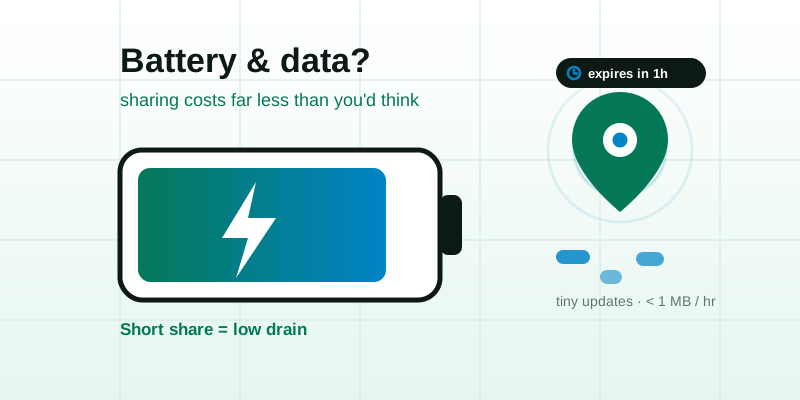
It's a common worry before tapping "share": is this going to flatten my phone or eat my data? The short answer is that sharing your location is far cheaper than most people fear, and the thing that actually drains your battery usually isn't the share at all. It's how your phone hunts for GPS, how often it sends updates, and whether an app keeps tracking you in the background long after you stopped caring. Here are realistic figures, the real culprits, and how to share your whereabouts for the time it takes to meet up or get home without watching your battery icon turn red.
The short answer: the share itself is tiny
When you share a live location, your phone is doing two separate jobs, and only one of them is meaningfully expensive.
- Reading your position uses the GPS sensor (plus Wi-Fi and cell signals to help it triangulate). This is the part that touches your battery.
- Sending that position over the internet is the data part, and it is genuinely small. A single update is just a few numbers: latitude, longitude, accuracy, a timestamp. That's a tiny payload, a fraction of a kilobyte per update.
To put the data side in perspective: streaming a few minutes of video can move more data than hours of location updates. If a live share publishes your position roughly every ten seconds, an hour of sharing is a few hundred small messages, typically well under a megabyte total. For almost everyone that's a rounding error against a normal day of browsing and messaging. So does sharing location use data? Yes, but so little you'd struggle to notice it on your monthly bill.
Battery is more nuanced, because the cost depends far less on sharing and far more on how your phone is gathering the position in the first place.
What actually drains the battery (it's rarely the share)
If a live share ever does dent your battery, one of these is usually the real reason — not the act of sending your dot to a friend.
- Weak signal. This is the big one. When GPS, Wi-Fi, and cell coverage are poor (indoors, in a tunnel, deep in a valley, on a rural road), your phone works much harder to get a fix and keeps the radios powered up longer trying. A strong signal sips power; a weak one gulps it. The same share can feel "free" in the open and costly in a concrete car park.
- Update frequency (polling rate). A position refreshed every second costs far more than one refreshed every thirty. High-frequency tracking keeps the GPS sensor awake almost continuously; a gentler cadence lets it sleep between fixes.
- The screen, not the sensor. If you sit and stare at a moving map for an hour, the bright, always-on display usually out-drains the location sensor by a wide margin. Watching the map is often more expensive than being watched.
- Always-on background tracking. An app that tracks you continuously, all day, every day, even when you've forgotten it's on, is the classic battery villain. It's not one trip's worth of GPS; it's every trip, plus the wake-ups in between.
- Heat and old batteries. A hot phone (sun on the dashboard, fast-charging while navigating) and an aged battery both make any task look more draining than it is. The location share gets blamed for what the heat is really doing.
Notice what's not on that list: the size of the data, or the number of people watching your link. Whether one person or five open your live share, your phone reads its position the same way and sends the same small update. Viewers cost you nothing extra.
Realistic figures: snapshot vs. live vs. always-on
Exact numbers depend on your phone, your signal, and your settings, so treat the table below as ballpark guidance rather than lab-precise claims. The pattern holds everywhere: a one-off pin is almost free, a short live share is cheap, and indefinite background tracking is the only option that genuinely adds up.
| What you're doing | Battery cost | Data cost |
|---|---|---|
| Sending a single static pin (a snapshot) | Negligible — one GPS fix, then done | A few kilobytes, once |
| A 20-minute live share to meet a friend | Low — comparable to a short navigation session | Well under a megabyte |
| A 1-hour live share on a drive home | Modest — noticeable but small, like using maps | Roughly a megabyte, give or take |
| An always-on tracking app running 24/7 | High over a day — constant wake-ups add up | Small per update, but it never stops |
The takeaway: the cost isn't about sharing, it's about duration. A short, auto-expiring share is one of the cheapest things your phone does. The expensive pattern is leaving tracking on forever. That's why a brief, link-based share you can stop the moment you arrive is so much gentler than handing an app permission to follow you indefinitely.
Settings that save battery while sharing
You can make any location share cheaper with a few small choices. Most of these help your signal or shorten how long the sensor stays awake — the two things that actually matter.
- Keep the share short and let it expire. The biggest saving is simply not sharing longer than you need to. A 15-minute window that ends itself costs a fraction of an "until I turn it off" share you forget about. Match the time to the task.
- Lock your screen while sharing. You don't need to watch your own dot. A well-built live share keeps publishing your position with the screen off, so locking the phone kills the biggest drain, the display, while the share keeps working.
- Leave Wi-Fi on, even away from home. It sounds backwards, but Wi-Fi scanning helps your phone fix its position faster and with less GPS effort. Turning Wi-Fi off to "save battery" can make location more expensive.
- Step into open sky for the first fix. The initial lock is the hungry moment. Starting a share outdoors or near a window, rather than deep inside a building, gets a clean fix quickly so the radios can settle down.
- Use Battery Saver / Low Power Mode. These tell the system to gather location less aggressively. A short share still works fine; it just refreshes a touch less often, usually invisible to the person watching you travel.
- Don't fast-charge in the sun while sharing. Heat is the silent multiplier. Keep the phone cool, out of direct sunlight and off the hot dashboard, and the same share will cost noticeably less.
- Prefer a snapshot when movement doesn't matter. If someone only needs to find a spot, send a single pin instead of a live stream. One fix and you're done, nothing left running.
Short, expiring shares beat indefinite tracking
This is the heart of it. A link-based share is kinder to your battery than a tracking app because it's temporary by design. You open it for a trip, the other person watches your dot move, and it switches off (by your hand or by a timer) when you arrive. There's no all-day background process, no permanent permission waking your GPS, no app phoning home while your phone sits in a drawer.
Contrast that with always-on tracking. Even if each update is tiny, the cost of never stopping compounds across every hour of every day. That constant, low-level activity is what shows up in your battery stats at the end of the week, not the twenty minutes you shared a link with a friend.
It's also the privacy-friendly choice. A share that expires stops broadcasting your whereabouts and stops touching your battery at the same moment, with nothing left running once you're done. (For the deeper safety picture, see whether live location sharing is safe.)
Quick answers to the questions people actually ask
- Does sharing my location drain my battery? A little, mostly from GPS — but a short share is cheap. Weak signal, a screen left on, and all-day background tracking cost far more than the share itself.
- Does sharing location use a lot of data? No. Updates are tiny; an hour of live sharing is typically well under a megabyte. A single static pin is a few kilobytes.
- Does it cost more battery if more people watch? No. Your phone reads and sends its position the same way regardless of how many people open the link.
- Is live sharing worse than a navigation app? They're similar; both rely on GPS. The difference is duration: navigation runs while you drive, while a good live share you can stop the second you arrive.
- What's the most battery-friendly way to share? A short, auto-expiring link with your screen locked — or, when movement doesn't matter, a single snapshot pin.
Share light, then stop
So, does sharing your location drain your battery and data? Barely, and the bits that do cost something are within your control. The data is trivially small, and the battery comes down to signal strength, how often you update, whether your screen is on, and above all how long you keep it running. Share for the trip, not forever, and your phone will hardly notice.
When you only need to send one spot, reach for the lightest option and share your location as a single pin: one fix, no lingering process. When the movement is the point, start a brief, expiring live location share, lock your screen, and let the other person follow your dot until you arrive. And when the whole goal is to converge on one place, skip the streaming and set a meeting point everyone can navigate to. The shortest share is always the easiest on your battery, and on your privacy.